Understanding ToDesk: Overview and Key Features
In an increasingly digital world, the ability to work remotely has become a necessity for individuals and businesses alike. Remote desktop software has emerged as a critical tool in facilitating seamless communication and productivity across distances. Among the plethora of options available, ToDesk stands out as a leading solution, offering users a free, secure, and efficient platform for remote access. This article delves into the fundamental aspects of ToDesk, highlighting its innovative features, robust security measures, and various applications in the remote working sphere.
What Is ToDesk and How Does It Work?
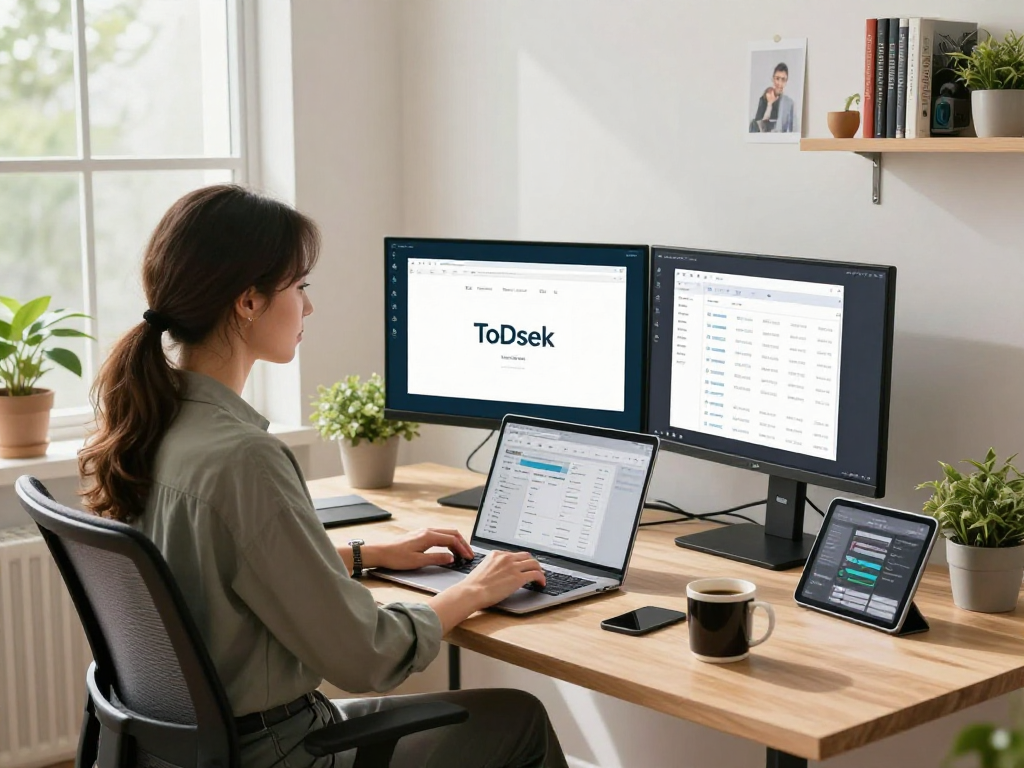
ToDesk is a cutting-edge remote desktop software designed to allow users to connect to their computers from virtually anywhere, anytime. It operates through a simple installation process where users can download the application on their desktop or mobile devices. Once installed, users can easily establish a remote connection by sharing a unique ID and password with the person they wish to connect with. This makes ToDesk particularly valuable for remote workers, IT professionals, and anyone needing to access their devices from a distance.
Core Features That Enhance Security and Efficiency
ToDesk is equipped with an array of features tailored to enhance both security and user experience:
- End-to-End Encryption: ToDesk employs advanced end-to-end encryption, ensuring that all data transmitted between devices is securely protected from unauthorized access.
- Low Latency and High Quality: With an innovative image compression algorithm, ToDesk guarantees low-latency connections while maintaining high-quality visuals, even under suboptimal network conditions.
- Multi-Layered Authentication: ToDesk implements several layers of authentication to verify user identities, thus minimizing potential security breaches.
Cross-Platform Support and User Accessibility
One of ToDesk's major advantages is its cross-platform compatibility. The software supports various operating systems, including Windows, Mac, Linux, Android, and iOS, enabling users to access their devices regardless of their device type. This versatility enhances user accessibility, making it a favored choice for diverse user bases, from corporate teams to individual users seeking convenience and functionality.
Security Measures of ToDesk: Ensuring Data Protection
In today's digital landscape, where cyber threats are omnipresent, security remains a paramount concern for remote desktop solutions. ToDesk addresses this issue with a comprehensive suite of security measures designed to protect user data and privacy.
End-to-End Encryption: How It Works
The backbone of ToDesk's security framework is its end-to-end encryption. This means that data is encrypted before it leaves the user's device and remains encrypted until it reaches the recipient’s device. Even if data is intercepted during transmission, the encryption prevents unauthorized access, ensuring that sensitive information remains confidential.
Multi-Layered Authentication for Enhanced Security
ToDesk deploys a multi-layered authentication approach, which adds additional security checks during user login and access. This includes a combination of passwords, security questions, and one-time codes sent to users via email or SMS, which significantly reduces the risk of unauthorized access.
Best Practices for Using ToDesk Safely
While ToDesk includes robust security measures, users should also adhere to best practices to ensure their safety:
- Regularly update passwords and avoid using easily guessable information.
- Enable two-factor authentication whenever possible.
- Be cautious about sharing access credentials and only connect with trusted users.
Applications of ToDesk in Remote Work Scenarios
ToDesk’s versatility allows it to be utilized in various remote work scenarios, making it a preferred choice for many organizations and individuals. Here are some key applications:
Remote Office Access: Bridging the Gap
For many businesses, enabling employees to connect to their office desktops from home or other locations is critical. ToDesk facilitates this by allowing employees to access essential files and applications, ensuring productivity remains uninterrupted, regardless of location.
Effective Remote IT Support: Solutions for Technicians
IT professionals benefit immensely from ToDesk's capabilities, as it allows for real-time troubleshooting and maintenance of client devices. Technicians can remotely access a user's device to diagnose and resolve issues quickly, reducing downtime and travel costs associated with on-site visits.
Facilitating Remote Assistance for Family and Friends
In addition to business applications, ToDesk provides a convenient solution for personal tech support. Users can easily assist family and friends with technical issues by accessing their devices remotely, streamlining the process of diagnosing and fixing common problems.
User Feedback: Why Millions Trust ToDesk
Ultimately, the success and reliability of software are best reflected through user feedback. ToDesk has garnered a robust user base, with millions relying on its services for their remote desktop needs.
Real User Testimonials and Case Studies
User testimonials often highlight ToDesk's ease of use as a significant advantage. For example, an IT manager might express appreciation for the software's seamless integration into their workflow, allowing for efficient problem resolution without the need for lengthy explanations to clients.
Comparative Analysis with Other Remote Desktop Software
When compared to other remote desktop solutions, ToDesk distinguishes itself with its unique blend of functionality and user-friendly design. Many users note that ToDesk offers superior performance in terms of speed and ease of navigation, making it a standout option in a competitive market.
Common Concerns and Resolutions from Users
Some common concerns raised by users revolve around connection reliability and support. However, ToDesk addresses these issues by offering a dedicated support team that assists users in troubleshooting and resolving any difficulties encountered during their experience.
Future Trends for Remote Desktop Solutions in 2026
As the landscape of remote work continues to evolve, so too will the tools that support it. The future of remote desktop solutions appears promising, with significant advancements on the horizon.
Emerging Technologies in Remote Work Tools
In the coming years, we can expect the integration of artificial intelligence and machine learning in remote desktop software. These technologies will enhance user experience by optimizing connection speeds, automating troubleshooting processes, and providing personalized recommendations based on user behavior.
Predictions for Remote Work Security
Security measures will likely become even more sophisticated, with advances in biometric authentication and enhanced encryption techniques. As remote work becomes increasingly prevalent, the demand for secure and reliable access will drive innovation within the sector.
The Role of ToDesk in Modern Work Environments
As businesses adapt to the changing landscape, ToDesk is poised to play a vital role in shaping how organizations facilitate remote work. Its commitment to security, usability, and cross-platform functionality ensures that it will remain a top choice for users needing reliable remote access.
What are the key benefits of using ToDesk for remote work?
The key benefits of using ToDesk for remote work include its robust security features, ease of use, cross-platform support, and efficient performance, making it suitable for a variety of applications from professional to personal use.
How does ToDesk ensure the security of remote connections?
ToDesk utilizes end-to-end encryption, multi-layered authentication, and adherence to best security practices to protect user data and maintain secure remote connections.
What platforms are compatible with ToDesk?
ToDesk is compatible with a wide range of platforms, including Windows, Mac, Linux, Android, and iOS, ensuring users can access their desktops from any device.
How can businesses benefit from utilizing ToDesk?
Businesses can benefit from utilizing ToDesk by enhancing employee productivity, reducing operational costs associated with travel, and providing efficient IT support, all while ensuring data security and integrity.
What should users consider before choosing ToDesk?
Users should consider their specific remote access needs, such as the type of devices they use, the security measures required, and the level of customer support offered by the software when choosing ToDesk.